Hazmat routing that respects your tunnel category
Carrying dangerous goods adds a layer of restrictions that ordinary truck routing ignores: tunnels closed to your tunnel code, roads and areas where hazmat is banned outright. Navitruck takes the class and tunnel category from your vehicle profile and calculates every route and alert around them.


3-day free trial on the web · 7 days in the app · Cancel anytime
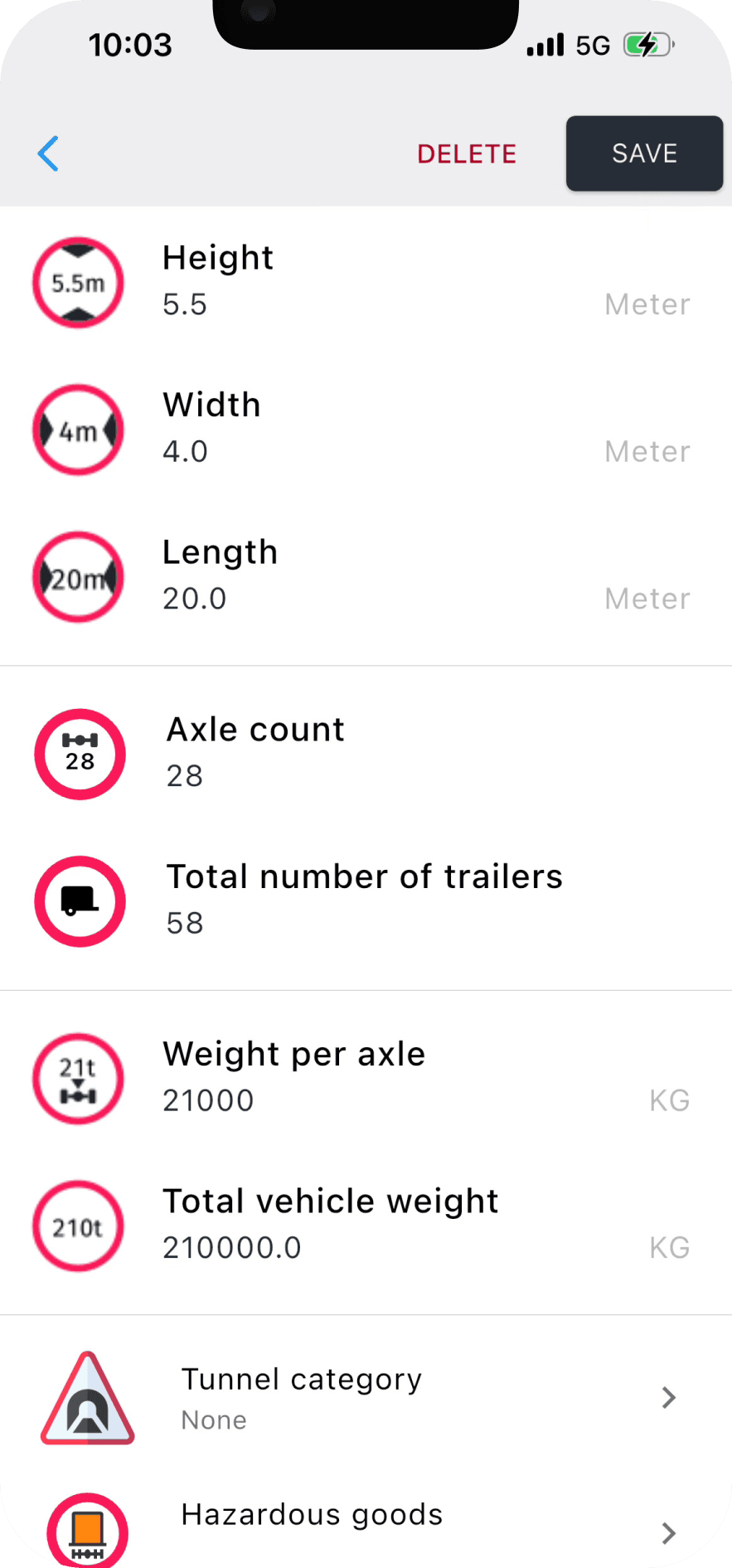
Two settings, two different jobs
In Navitruck's vehicle profile, hazmat is handled by two separate fields. The hazmat class tells the router which goods you carry, so it avoids roads, zones and structures where dangerous goods are prohibited — typically town centres, water-protection areas and specific bridges or ferries. The tunnel category is the ADR tunnel restriction code from your transport document: B, C, D or E. It decides which tunnels are closed to you.
Set both when they apply and leave both blank when they do not. A tunnel code entered by habit on a vehicle that is not carrying dangerous goods will add distance for no reason by avoiding tunnels you are entitled to use.
How ADR tunnel categories work in practice
Under ADR, tunnels are classified A to E. Category A tunnels have no dangerous-goods restriction; each step to E excludes more goods. Your load's tunnel restriction code says the most restrictive category you may enter. A load coded D, for example, may not use tunnels in categories D or E. Navitruck applies that rule when it plans a route and when it reroutes around traffic or a closure, so the alternative is never a tunnel you cannot enter.
- Tunnel category taken from the profile, not guessed from the vehicle type
- Reroutes hold to the same tunnel and hazmat rules
- Multi-stop routes with tolls calculated for the compliant route
An alert before a restricted tunnel or zone
Routing is the first line. The second is an alert before a restriction when you are off the planned route — a diversion, a search for a delivery gate, a short hop between sites. Navitruck keeps checking the road ahead against your full profile, including hazmat class and tunnel category, while the app is running in the foreground or the background, and warns you before you reach a tunnel or zone you are not permitted to enter.
The rest of the profile still matters
Hazmat routing sits on top of the usual truck restrictions. Height, width, length, axles and gross weight are used at the same time, so the route that avoids a category E tunnel is also one that clears every bridge and stays under every weight limit. Offline 3D maps for every region carry the same restriction data, so the compliant route does not depend on signal.
Who this is for
Tanker and chemical hauliers, gas and fuel distribution, waste and recycling carriers, explosives transport, and any owner-operator who takes an occasional ADR load and needs the routing to change with it. Navitruck stores multiple vehicle profiles, so a driver can keep a hazmat profile and a general-freight profile for the same unit and switch before setting off.
Common questions
Where do I find my tunnel restriction code?
It is listed in the ADR transport document for the load, usually as a letter in brackets after the UN number and class, for example (D/E). Enter the code in Navitruck's vehicle profile under tunnel category before you set off.
Does Navitruck route around hazmat-banned roads as well as tunnels?
Yes. The hazmat class in your profile is used to avoid roads, areas and structures where dangerous goods are prohibited, in addition to the tunnel category, which controls tunnel access.
What happens when a reroute is needed?
The new route is calculated with the same profile, so it avoids the same tunnels and hazmat zones, along with the height, weight, width and length restrictions that apply to your vehicle.
Does hazmat routing work offline?
Yes. Tunnel categories and hazmat restrictions are part of the downloadable offline maps, and all regions are included in Premium.
Set the tunnel code once. Every route respects it.
Hazmat-aware routing and alerts for trucks carrying dangerous goods, offline, on iOS and Android.
3-day free trial on the web · 7 days in the app · Cancel anytime
More about Navitruck
- Truck GPS appRestriction-aware navigation for trucks and HGVs.
- Low bridge GPSHeight-based routing and an alert before every low bridge.
- Offline truck maps3D maps for every region, downloadable at no extra cost.
- RV & caravan GPSNavigation that knows your motorhome's height and weight.
- BlogGuides on vehicle profiles, bridge strikes and background alerts.